
1
Enter their details
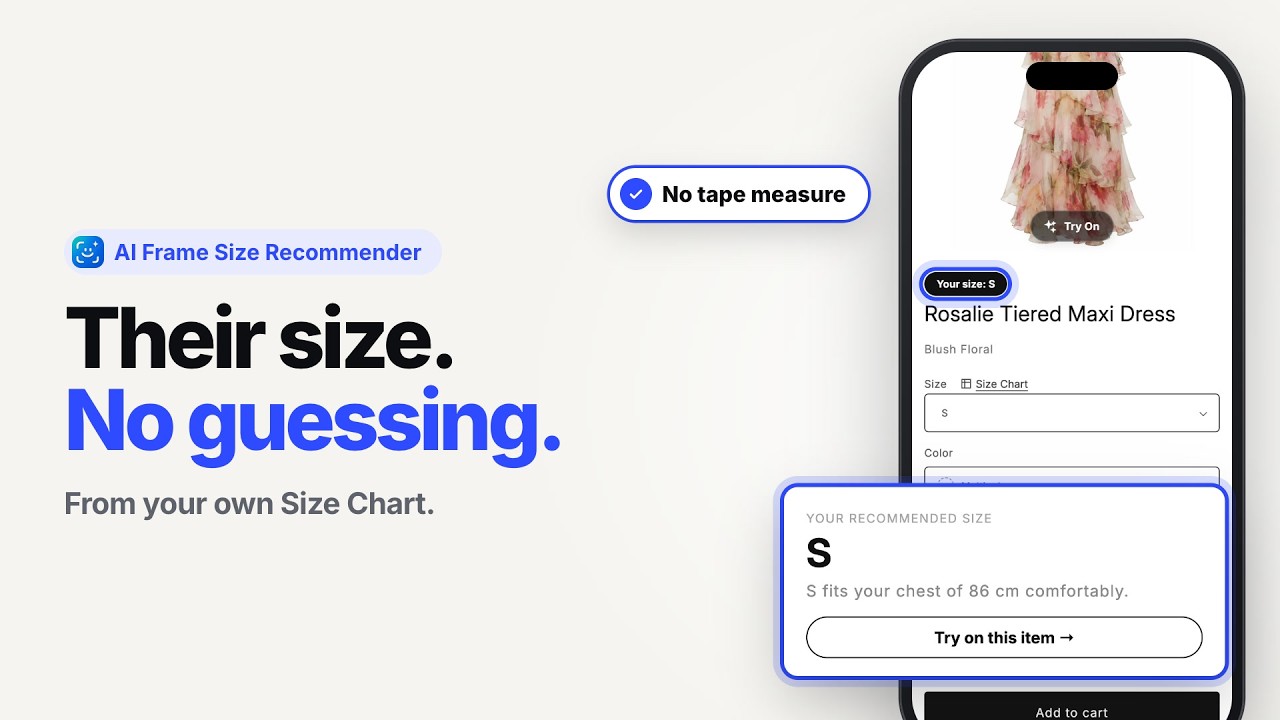
Shoppers add their height, weight and preferred fit.
Tell shoppers which size to pick, right where they choose it.
The AI Frame Size Recommender asks for height, weight and preferred fit, compares the answer with the size chart on that product, and suggests a size. It only recommends sizes from your own chart, so your sizing stays yours.
Most shoppers do not know their measurements, so even a perfect chart leaves them guessing.
See the recommendation appear where shoppers pick their size.
Open a product, enter a height and weight, and see the recommended size. It takes less than a minute.
Open the live demo store →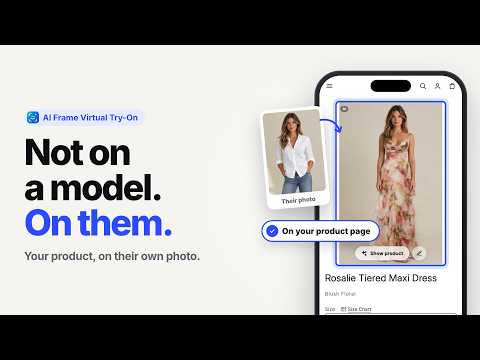
Virtual Try-On on a Shopify product page
Size Charts next to the size picker
This is what your shopper sees.
Shoppers add their height, weight and preferred fit.
AI Frame compares the profile with the size chart assigned to the product.
The shopper gets a recommended size, close to the size selector.
Recommendations are guidance, not a guarantee of fit. They are only as good as the chart behind them, so accurate size charts matter. If you want shoppers to also see how a style could look on them, add Virtual Try-On.
No developer, and no need to rebuild your sizing from scratch.
Add AI Frame from the Shopify App Store. The free plan lets you test it on your own products first.
Upload a PDF, CSV or photo, let AI Frame scan your website, or add a chart manually.
Switch on the AI Frame block in your theme editor, then assign each chart to the products that use it.
What a size recommendation can do for your store, and where it stops.
Shoppers who get a clear size suggestion are less likely to guess. Fewer wrong sizes means fewer returns to process.
Give the answer on the page instead of in your inbox. One merchant told us customers were always asking “will this fit me?” before they added AI Frame.
Recommendations use the chart you assign to each product, so slim, regular and relaxed fits can each have their own.
Results vary by store. A recommendation is guidance, not a guarantee of fit.
Reviews are from the Shopify App Store. Numbers are from real stores.
of shoppers who used a recommendation placed an order, compared with visitors who did not (observed, not a controlled test).
shoppers who received a recommendation used it on two or more products (32.8%).
returns per 100 orders at one AI Frame client, after adding AI Frame.
“AI Frame solved our 2 biggest problems overnight. Customers were always messaging 'will this fit me?' Now they try it on with one photo and check the size chart right there. Setup took 10 minutes with CSV import.”Nexus · United States · Shopify App Store review
“Excellent app with a clean interface and smooth performance. The virtual try-on and size chart features work perfectly together, making it easier for customers to choose the right product.”DesignerScarf Us · United States · Shopify App Store review
“The AI try-on feature is surprisingly accurate and gives customers much more confidence before purchasing. Setup was quick, and the support team has been very responsive.”Love Token US · United States · Shopify App Store review
Observed at one international fashion retailer, September to November 2026. These are observed numbers, not a controlled test, and shoppers who choose a feature may already be more likely to buy. Results describe this store and are not a promise for yours. Read the full study → The returns figure is from one client.
Each one works independently. Together they answer the two questions shoppers have before they buy.
Shoppers see a garment on their own photo, on your product page.
Shoppers get a suggested size based on your own size chart.
You are here.
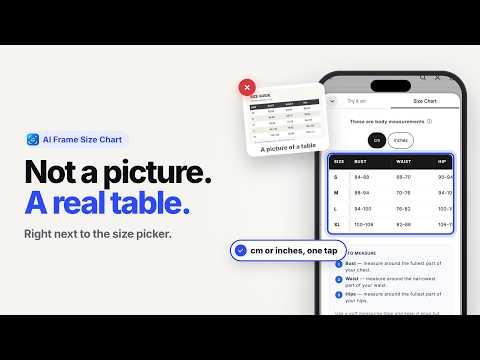
A real measurement table in cm and inches next to the size picker.
The shopper enters their height, weight and preferred fit. AI Frame compares that with the size chart assigned to the product and suggests a size. Read the longer explanation: what a size recommender is and how it works.
Yes. Every recommendation comes from the size chart assigned to that product, so accurate charts give better recommendations. You can create or import your charts in AI Frame.
No. Height and weight are enough to get a suggested size, so shoppers do not need a tape measure. A shopper who does know their measurements can use them.
It depends mainly on how good your size chart is and how well the shopper's details describe them. We explain what affects the result and how to test one in How accurate is a size recommender?
No. It is guidance, not a guarantee. Cut, fabric, personal preference and measurement differences all affect fit.
No. Recommendations come from a chart assigned to the product. If you do not have charts yet, you can import them from a PDF, CSV or photo, scan your site, or add them manually. See how to add a size chart to Shopify.
AI Frame has a free plan to start, and paid plans add more features and volume. See the pricing section for current plans and limits.
No. Virtual try-on creates a visual preview of the garment on the shopper. Size Recommendations suggest a size. Many stores use both.
Install AI Frame free from the Shopify App Store and add size recommendations to your product pages.
 AI Frame
Virtuele pas en maattabel voor Shopify-modewinkels.