
Make ring sizing easier to understand online.
Shoppers find their ring size from a size they know, a ring they own on their screen or under their camera, or a strip of paper. Then they see the ring on their own hand.


 Virtual Try-On
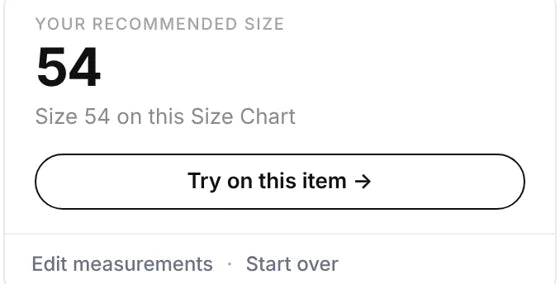
Most shoppers don’t know their ring size.
A ring has to fit within a millimetre or two. Sizes change between EU, US and UK, and most shoppers have no ring sizer at home. So they guess, order two sizes, or don’t buy.
Few shoppers know it, and fewer know it in millimetres.
The same finger is a 54, a 7 or an N, depending on where the shopper lives.
A ring on white doesn’t show its size and proportion on the shopper’s finger.
One measurement, in every system.
Whatever way the shopper uses, AI Frame turns it into the inside circumference in millimetres and matches it to your Size Chart.
- EU, US and UK sizes from your Size Chart, with the shopper’s own system chosen for their country or language.
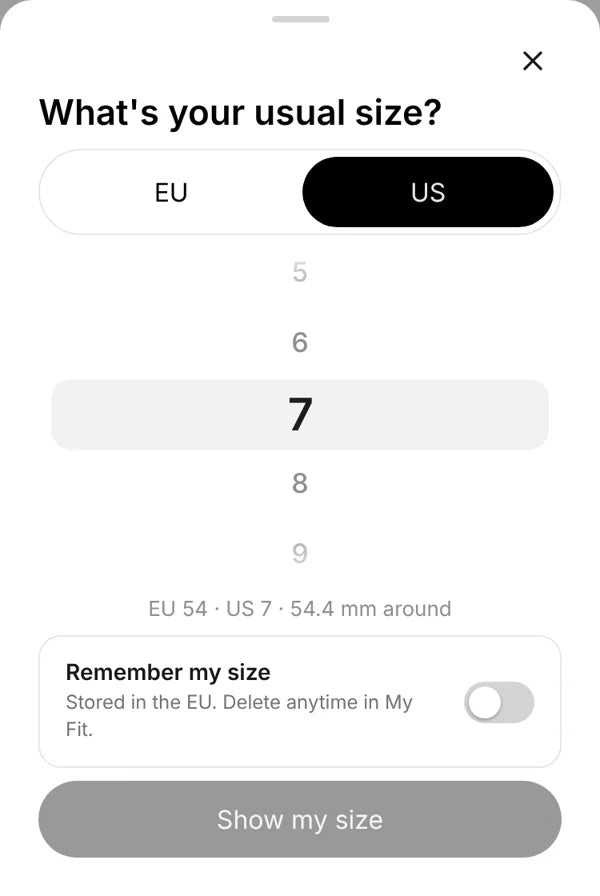
- Every size shown with its circumference, such as EU 54 · US 7 · 54.4 mm around.
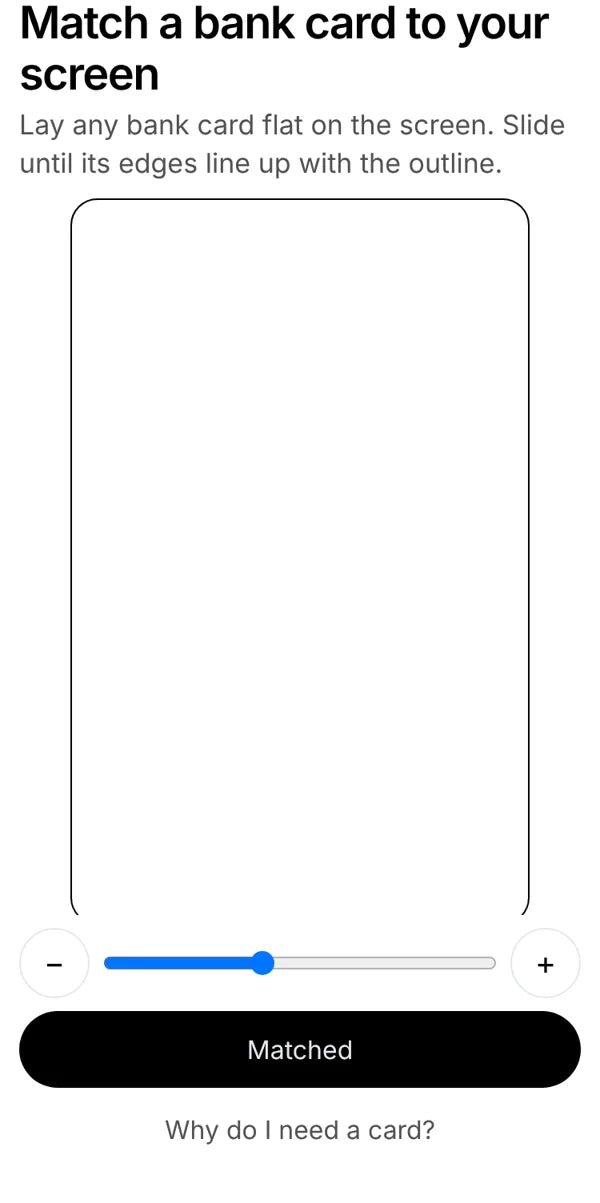
- Real-size on screen: a bank card sets the scale, because phone screens differ and a card is the same everywhere.
- A clear result, such as “Size 54 on this Size Chart”, between two sizes, or outside your chart.
- Remembered, if the shopper agrees, for their next ring.
Every shopper can find their size, with or without a ring.
Some shoppers know their size, some have a ring at hand, some have nothing but a phone. AI Frame gives each of them a way in, and turns it into the inside circumference that matches your Size Chart.
A scroll wheel in EU, US or UK, set for their country. Each size shows its circumference, such as EU 54 · US 7 · 54.4 mm around.
The fastest way
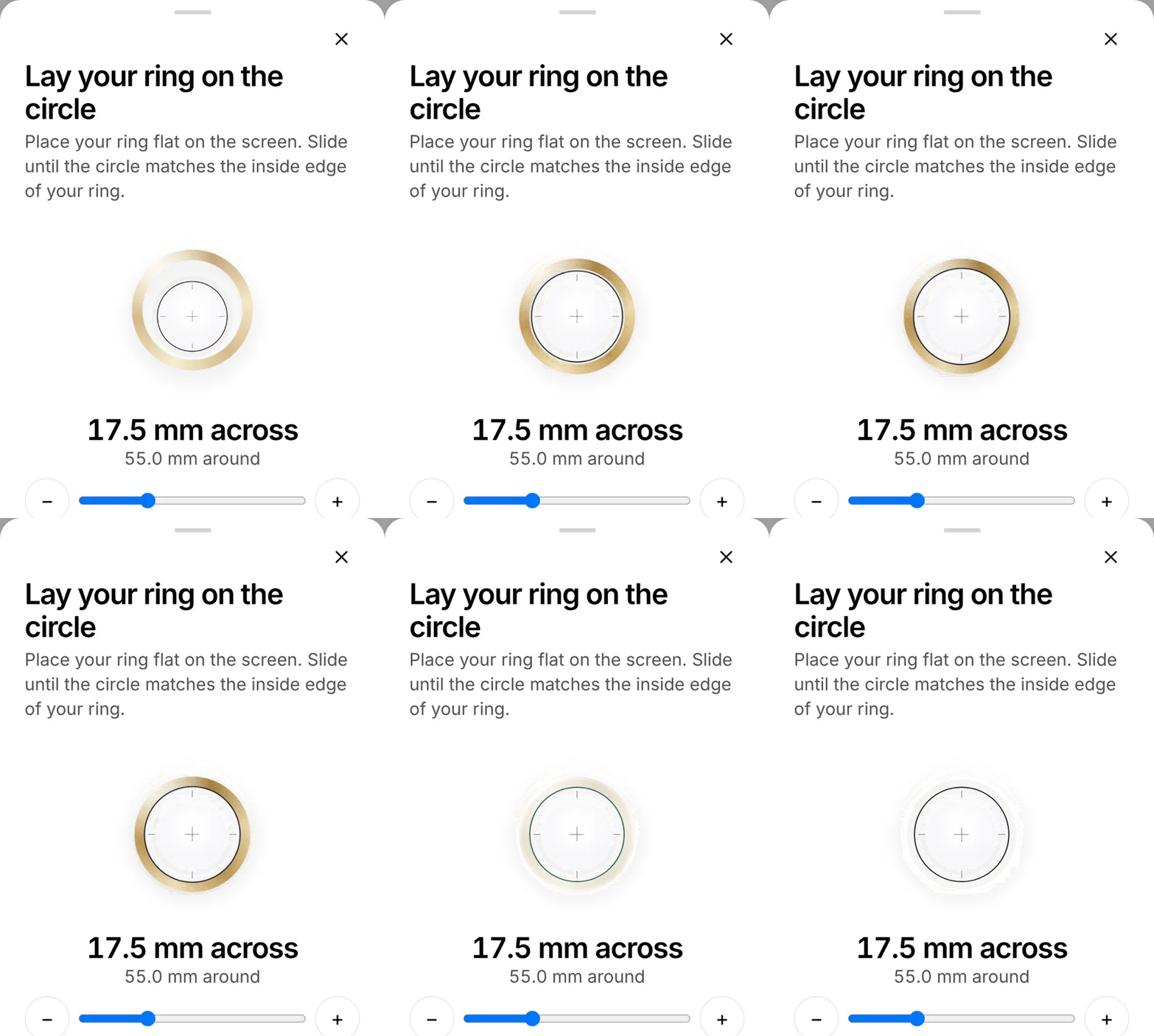
They match a bank card to the screen for scale, lay their ring on a real-size circle, and slide until it fits the inside edge.
Any phone

They put the ring on a sheet of A4 or Letter paper and take one photo. The image never leaves their phone.
Phone camera
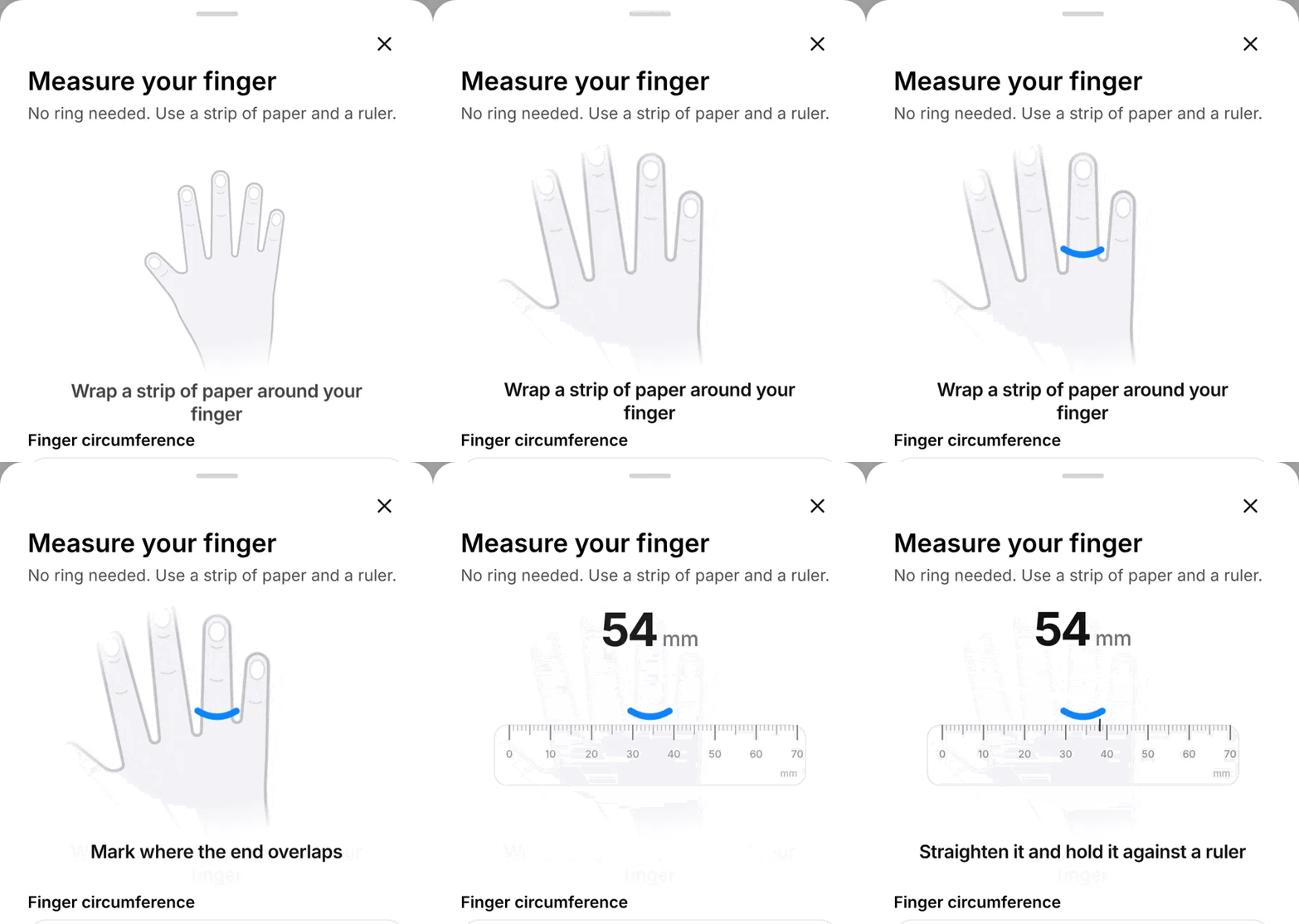
No ring needed. A short guide shows how to wrap a strip of paper, mark the overlap and read it on a ruler.
No ring needed
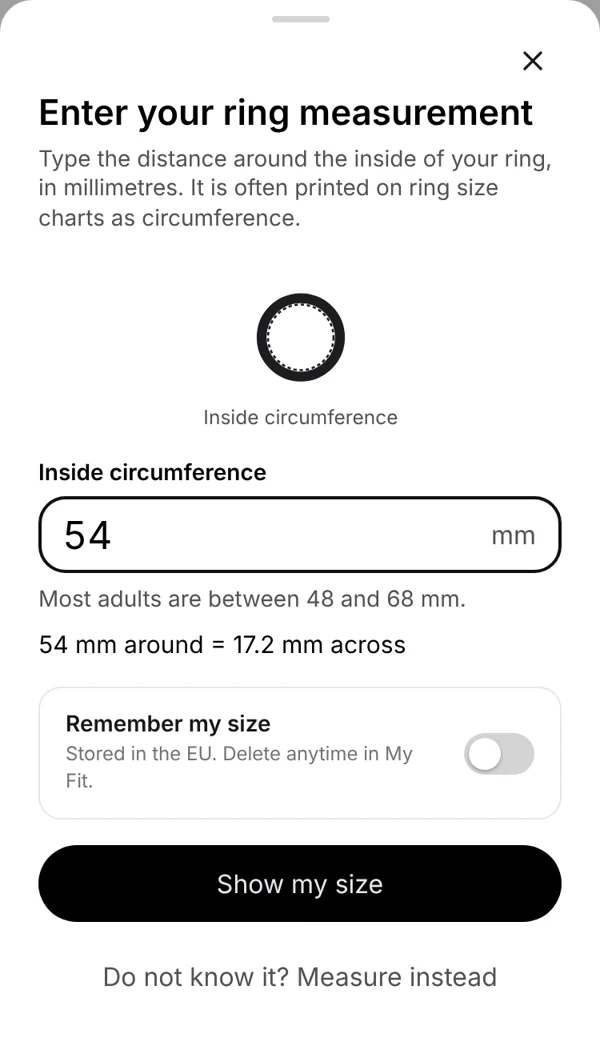
For shoppers who know the number. If they type the width across by mistake, AI Frame offers to convert it.
For the numbers people
The ring on their own hand.
From the size card, shoppers tap Try on this item and see the ring’s size and proportion on their hand.
- A photo that shows one hand works best.
- Add to cart from the result, right where they decide.
- Saved for next time if the shopper agrees.
Virtual Try-On shows how the ring may look. It does not measure the finger and is not a fit guarantee.
What you set up, and what shoppers get.
- Import your charts, or start from the ring template.
- Start from the rings template: EU size, inside circumference in millimetres and US size. Add UK if you sell there.
- Products, collections, tags, a vendor or all products.
- Your existing product images power Virtual Try-On.
- Choose one of five ways.
- Then Try on this item.
- Their ring size on your Size Chart, in their own system.
- The ring on their own hand.
From a ring they own to the ring on them.
One of the five ways, step by step, with the real screens.


The commercial outcomes it supports for rings.
We show you the usage, and you can measure the impact yourself. We don’t promise numbers.
Shoppers get a clear answer for this ring and a look at it on themselves, two common reasons to hesitate. Add to cart works from the try-on result.
Size → add to cart · Size → purchase · Try-on → purchase
A size measured at home gives shoppers less reason to order two sizes or a sizer first. Size returns are tracked per Size Chart.
Returned for size · Learning from size returns
“How do I find my ring size?” gets answered on the page, before it becomes an email.
Your own support inbox, not AI Frame
Shoppers check the size and see the piece on themselves before they decide.
Shoppers who got a size · Try-ons made
Shoppers who save their measurements or photo pick up where they left off on their next visit.
Not measured yet
Size and try-on numbers show how shoppers use AI Frame, not that it caused a sale. To measure the real difference, run a holdout test in your Impact Dashboard. A share of shoppers doesn’t see AI Frame, and the dashboard compares how both groups convert.
Some features, such as the outfit builder and the full Impact Dashboard, depend on your plan.
Rings questions merchants ask.
What does my Size Chart need?
The inside circumference in millimetres for each size, with the size labels you use. The rings template has EU size, circumference and US size ready. Add UK if you sell there.
Do shoppers see EU, US and UK sizes?
Yes, for every system on your Size Chart. AI Frame opens the shopper’s own system, based on their country or language, and shows each size with its circumference.
How does “a ring they own, on the screen” work?
Phone screens differ in size, so the shopper first matches any bank card to an outline on the screen. Then they lay their ring on a real-size circle and slide until it matches the inside edge.
How does the camera method work?
The shopper puts their ring on a sheet of A4 or Letter paper and takes one photo from above. It works best with a plain band. The image never leaves their phone.
What if they don’t own a ring?
They can wrap a strip of paper around their finger and read it on a ruler. AI Frame marks this as an estimate, since a ring they own is more accurate.
Is Virtual Try-On a fit guarantee?
No. It shows how the ring may look. The size comes from the shopper’s measurement.