
Eyewear sizing and visualisation for Shopify.
Shoppers scan their face or type the numbers from glasses they already own, and see whether this frame fits their face. Then they see the frames on their own photo.


 Virtual Try-On
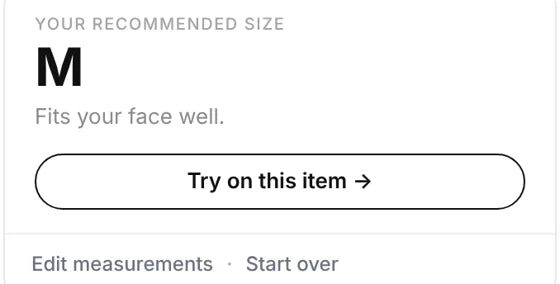
A frame that looks right can still be the wrong size.
Frame sizes are three small numbers most shoppers never look at. Too wide and glasses slide down. Too narrow and they pinch. Without a way to compare, shoppers guess, order two pairs, or leave.
A frame’s width only means something compared with the shopper’s own face.
Lens, bridge and arm sizes are printed on every frame, but few shoppers know what they mean.
A frame on white doesn’t show how it looks on the shopper’s face.
The frame, compared with their face.
AI Frame compares this frame’s measurements with the shopper’s face, and tells them in plain words how it will sit.
- Scan their face with the camera on a phone or computer, glasses off. The image never leaves their device.
- Or use glasses they own. They type the lens, bridge and arm numbers printed inside the arm, such as 52 □ 18 145.
- A clear answer: fits your face well, a little narrow or wide, or likely too narrow or wide.
- The numbers behind it, such as “Frame 130 mm · Your size 134 mm”.
- Glasses and sunglasses both use the same sizing.
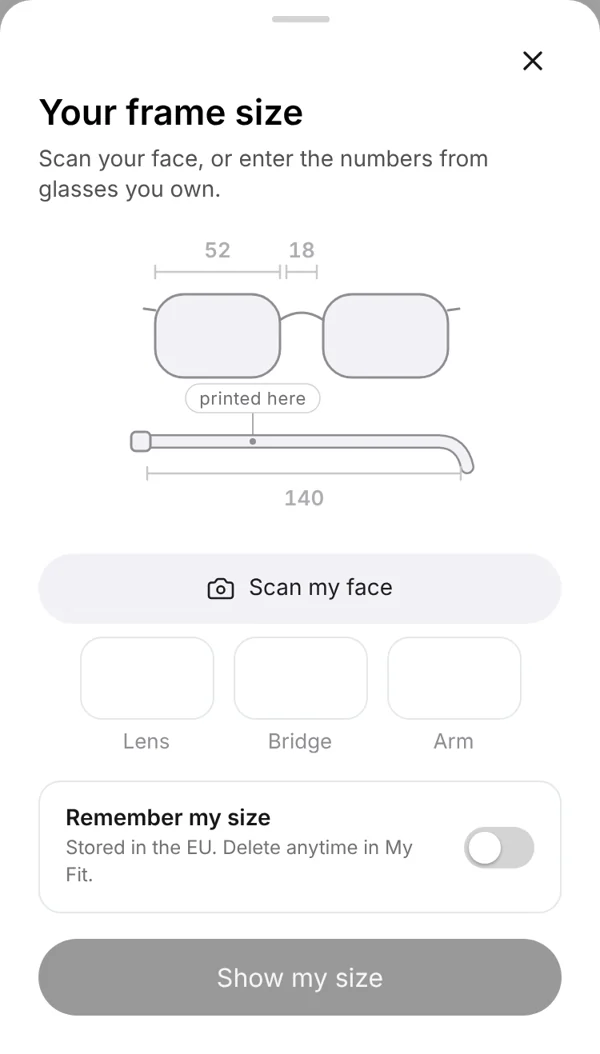
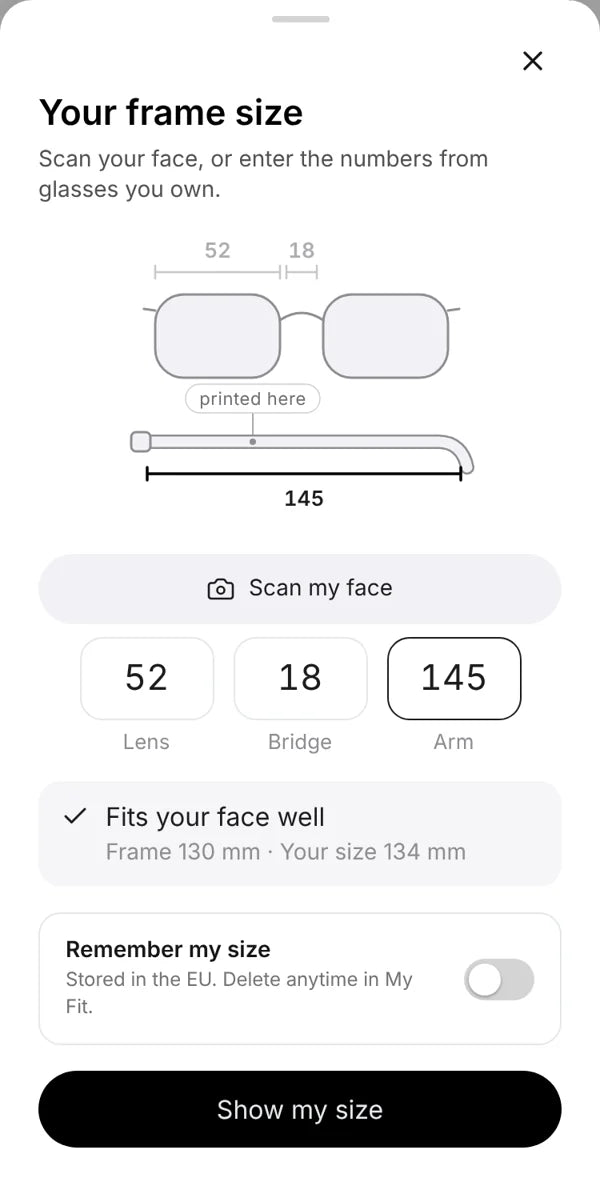
Proportions, then the frames on their face.
The sizing shows how the frame’s width compares with the shopper’s face. Virtual Try-On then shows how the frames may look on them.
- Face and frame proportions in millimetres, from the scan or their own glasses.
- The frames on their own photo, from Try on this item on the product page.
- A clear, well-lit photo of their face works best.
- Add to cart from the result, right where they decide.
Virtual Try-On shows how the frames may look. It does not measure the face. Sizing uses the face scan or the shopper’s own numbers, never the try-on photo.
What you set up, and what shoppers get.
- Import your charts, or start from the eyewear template.
- Add lens, bridge and arm in millimetres, a size such as S, M or L, or both.
- Products, collections, tags, a vendor or all products.
- Your existing product images power Virtual Try-On.
- Scan their face with the camera.
- Or type the numbers from glasses they own.
- How this frame fits their face, in plain words and millimetres.
- The frames on their own photo.
From their frame size to the frames on them.
These are the real screens shoppers see, in order.

The commercial outcomes it supports for eyewear.
We show you the usage, and you can measure the impact yourself. We don’t promise numbers.
Shoppers know the frame fits their face and see it on them, two common reasons to hesitate. Add to cart works from the try-on result.
Size → add to cart · Size → purchase · Try-on → purchase
A frame checked against their face gives shoppers less reason to order two widths. Size returns are tracked per Size Chart.
Returned for size · Learning from size returns
“Is this frame wide or narrow?” gets answered on the page.
Your own support inbox, not AI Frame
Shoppers compare the frame with their face and see it on themselves.
Shoppers who got a size · Try-ons made
Shoppers who save their measurements see their fit again on their next visit.
Not measured yet
Size and try-on numbers show how shoppers use AI Frame, not that it caused a sale. To measure the real difference, run a holdout test in your Impact Dashboard. A share of shoppers doesn’t see AI Frame, and the dashboard compares how both groups convert.
Some features, such as the outfit builder and the full Impact Dashboard, depend on your plan.
Eyewear questions merchants ask.
Which numbers do shoppers use?
The three numbers printed inside the arm of glasses they own: lens width, bridge and arm length, in millimetres. For example 52 □ 18 145.
How does the face scan work?
The shopper takes off their glasses and looks into the camera on their phone or computer. AI Frame measures their face width on the device. The image never leaves it.
What does my Size Chart need?
Lens, bridge and arm in millimetres, a size such as S, M or L, or both. The eyewear template has the columns ready.
What do shoppers see as the result?
A plain answer such as “Fits your face well” or “A little wide for you”, with the frame width and their size in millimetres.
Does it work for sunglasses?
Yes. Glasses and sunglasses use the same sizing.
Is the try-on photo used to measure the face?
No. Sizing uses the face scan or the shopper’s own numbers. The try-on photo is only used to show the frames on them.